
One payment. Editable files you keep. This toolkit is separate from the online rental workspace. Ask for help choosing.
Before you pay: toolkit purchases are non-refundable except where applicable law requires otherwise. Check the file list and device requirements. Read our Refund Policy, Terms of Use and Privacy Policy. Questions? Email NYUMBALEDGER.
Know where every shilling goes on your building project.
Plan your build, compare suppliers, track M-Pesa payments and print records from foundation to handover.
Editable Excel, Word and PDF files. One payment, no monthly toolkit subscription. A computer is recommended for detailed setup.
This is what you are buying
The NyumbaLedger Building Project Toolkit is a ready-to-use set of editable project-control files for one house, rental units or a small construction project. It helps you plan and record your own figures; it is not building drawings, an official BOQ or a contractor service.
You receive these exact six files in one ZIP download:
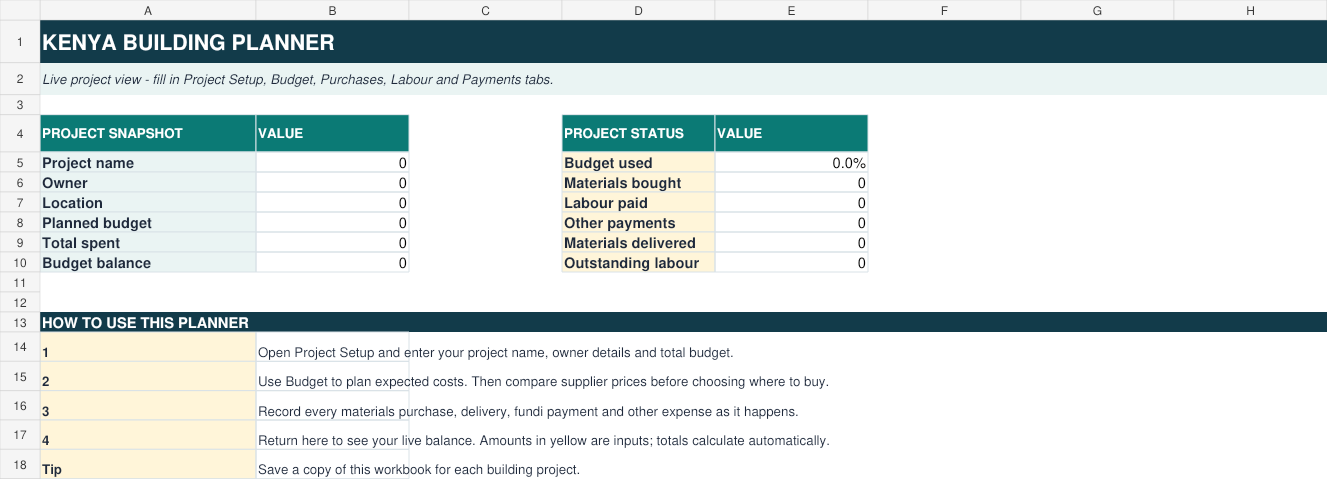
- Kenya-Building-Planner.xlsx — Excel budget, materials, supplier quotes, purchases, labour, payments and owner report.
- Contractor-Agreement-Template.docx — editable agreement and payment stages.
- Site-Inspection-and-Progress-Record.docx — inspection, issues and corrective actions.
- Material-Delivery-Note-Template.docx — record materials received and signatures.
- Kenya-Construction-Stage-Checklist.docx — checks from planning to handover.
- Kenya-Building-Planner-Quick-Start-Guide.pdf — simple instructions for using the toolkit.
After confirmed payment, download the ZIP from checkout and save it safely. Open the Excel and Word files with compatible apps; print the Word/PDF forms when needed.
Your download folder contains these 6 files
Built for a real building project
Track planned costs, material purchases, fundi payments and other project spending in one place.
Use the eight-stage plan for planning, foundation, walling, roofing, finishes and handover.
Record supplier details, M-Pesa codes, delivery notes, site inspections and signed agreements.
See the figures clearly
The workbook dashboard shows planned budget, amount spent, remaining balance, labour payments and delivered materials.
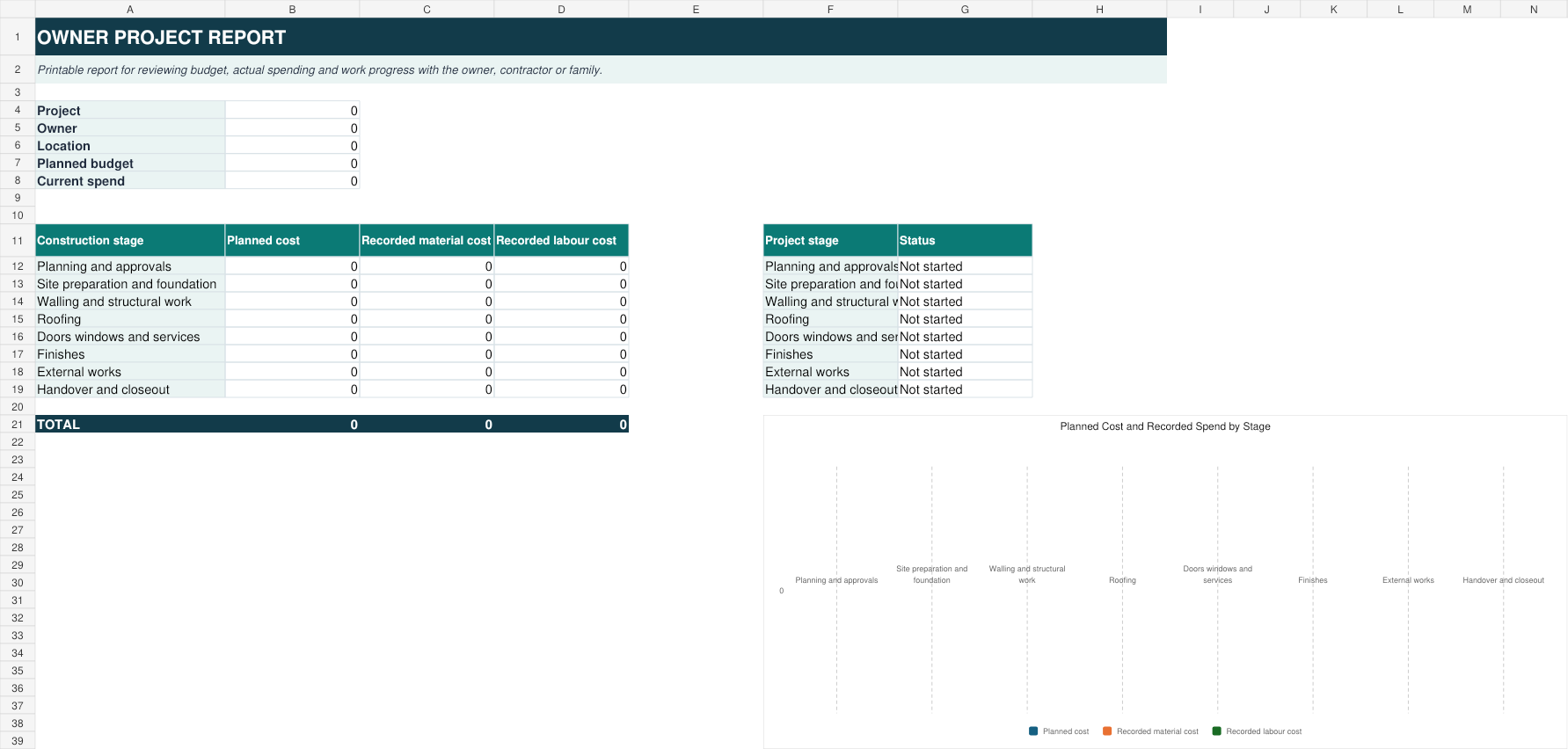
The owner report creates a clean project summary by construction stage, including a spending chart for easy review.
Tap the report preview to open the full-size, readable image.
Inside your download: 6 ready-to-use files
You receive these exact editable files together in one ZIP folder immediately after confirmed payment.
Questions buyers ask
Can I use it on my phone?
Yes. Open the Excel workbook with Microsoft Excel, Google Sheets or WPS Office. A computer is best when printing forms or entering many records.
Does it give official BOQ prices?
No. It is a project budget and records toolkit. Enter your own quantities, supplier quotations and labour rates for your project.
Can I reuse it for another project?
Yes. Save a fresh copy of the workbook for each project while keeping the original download unchanged.
Get the toolkit today
Pay once and receive the complete download package.
Buy with M-PesaPersonal-use licence: one buyer may use the toolkit for their own building projects. Do not resell, distribute or share the files publicly.
Buy with confidence: know what to expect
Buying a toolkit gives you files, not an online subscription. You need an app that opens Excel and Word files. On a phone, you will also need to extract the ZIP; a larger screen is easier for working with detailed spreadsheets.
- Choose the pack and check the exact file list.
- Enter an email you can access and the Safaricom number you will use.
- Check the amount on the M-Pesa prompt. Enter your PIN only in the M-Pesa prompt, never on this website or in a support chat.
- After payment confirms, download your ZIP from checkout. The private link is also emailed and remains available for 48 hours.
No payment prompt or confirmation?
Check the number and your phone connection. If you have already been charged, do not send another payment. Contact support with the product name, payment date and transaction reference so the payment can be checked.
Missing email, expired link or trouble opening files?
Check spam or junk first. Keep your transaction reference and contact support for help verifying the purchase and restoring download access. Do not share the private download link publicly.
Ask on WhatsApp Payment & download support Compare the three packs